 DravyaOS
Marg has been on counters for a long time, and the data in it is years of your shop's life: every medicine, every party, every bill. The worry about leaving is rarely the new software. It is "what happens to all that?" Here is the order we would do it in, and the places people get caught.
Decide what actually has to move
Not everything needs to come across. The test is simple: will I need this to bill, reorder or collect money tomorrow?
- Move: the medicine list with current stock, batches and expiry; your suppliers; your customers, especially those who owe you.
- Leave in Marg: old bills, old ledgers and old registers. Keep it installed for looking things up. Print or export the year-end reports your accountant needs while you are at it.
This is the same advice as in our general guide to moving stock into new software. The rest of this page is what is specific to a shop coming from Marg.
Getting the lists out of Marg
Marg's report screens can generally be exported to a spreadsheet or saved as a PDF. The lists you want are the current stock with batch and expiry, the supplier list, and the customer list with outstanding balances. Your Marg dealer or support contact can pull anything a report doesn't give you, so ask before you retype anything.
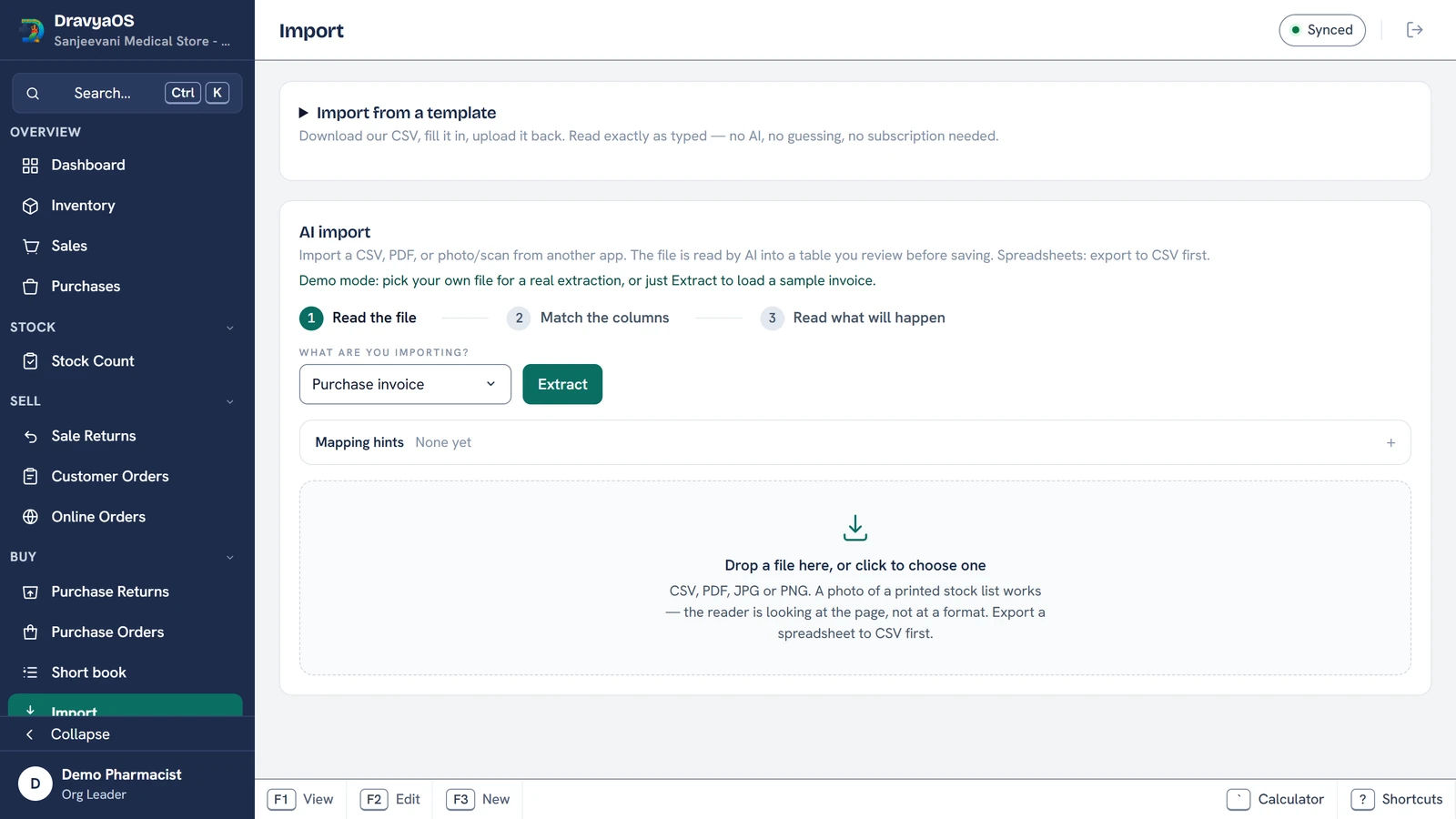
DravyaOS has two ways in, and you can mix them:
- Our templates. Download a CSV for products with their batches, suppliers or customers, fill it in or paste your export into it, and hand it back. These are read by a plain parser, not guessed at by an AI: columns are matched by name and values are copied exactly as typed. You can reorder or delete columns, and a party already on file is updated rather than duplicated.
- AI import. Drop in a CSV, a PDF or even a photo of a printed list and it is read into a table you can review. For a spreadsheet, the model is only asked which column is which; the app copies the values itself, so nothing is reworded or rounded.
Either way, nothing is saved until you accept it. A row the reader cannot use is held in amber for you to fix, not silently dropped, and any row can be unticked. If your file calls the PTR "Rate", or labels pack size "Pkg", write that in the Mapping hints box in plain words and it is applied to that import.
Keep your invoice numbers going
If your last bill in Marg was 4513, your next one should be 4514, not 1. In Settings → Billing, Next invoice number and Next credit note number start each book wherever you want. The setting only moves a number forward, so it can never hand out one that has already been used. If you prefer a clean break, you can also restart numbers every financial year, with the year in the number (for example INV/1/26-27).
One thing to settle with your accountant is the cut-over date. A start of month or a start of quarter makes GST reconciliation easier, because each return then belongs wholly to one package.
Returns against bills that are still in Marg
A customer will come back in three weeks with a strip from a bill that Marg issued. The only copy of that bill is in their hand. The sale return screen has an Against invoice and Invoice date field for exactly this, so you can record the old bill's number and date on the credit note without the old bill needing to exist in DravyaOS. See credit notes and sale returns.
The reports you are used to
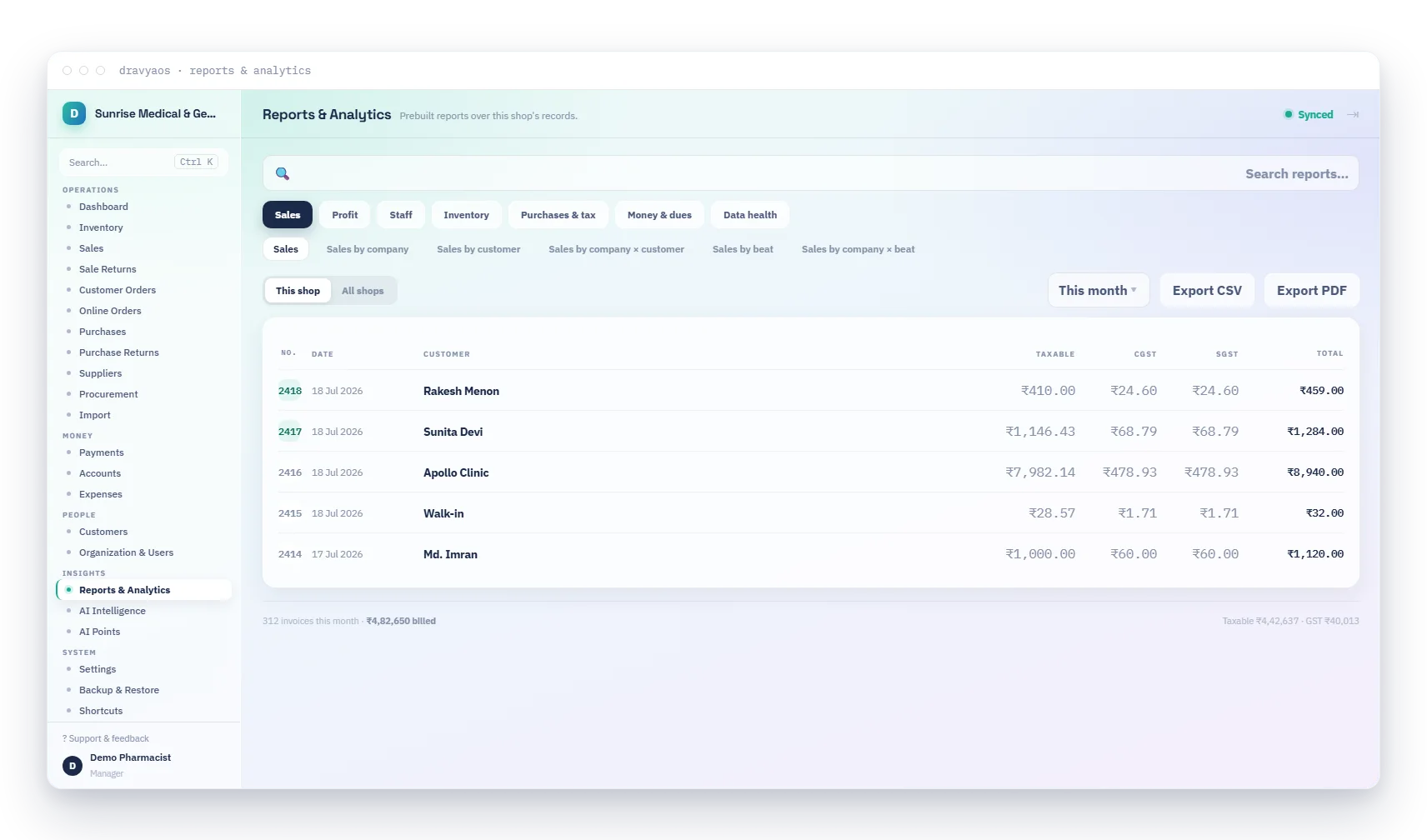
Most of what a Marg user asks for is there under a slightly different name. The Sale register by product and Purchase register by product are the line-by-line, medicine-wise sheets: every sale or purchase line of the period grouped under its medicine with a subtotal. The reports search also understands the words people bring across from Marg and Tally, so typing the name you remember usually finds the right tile.
The one number that will look different
Your profit percentage. Marg's Profit % is worked out on your cost; DravyaOS shows margin on your sale price. The rupee profit is the same and the percentage is lower. We wrote that up with a conversion table in Marg Profit % vs real margin, and it is worth reading before your first day so nobody thinks the shop got worse overnight.
A sensible first week
- Day before: take a final Marg stock and party-balance report and keep it. Import into DravyaOS and spot-check ten fast movers: name, pack, MRP, expiry.
- Day one: set the next invoice number, print one test invoice and read every line. Bill the day in DravyaOS only; do not run both at the counter.
- End of day one: do a quick count of a rack against the screen. A stock audit of one rack takes minutes and tells you whether the opening stock can be trusted.
- End of week: compare the customer dues total with your Marg report from the cut-over day.
When Marg is still the better fit
Be honest about it. If your books are closed inside Marg's accounting layer rather than handed to a CA as an export, or you order through its distributor network, check that carefully before you move. We list where each of us leads in our DravyaOS comparison.
Bring your stock across this evening. Free for 3 days, no card needed.
Download DravyaOS for Windows